
How to switch from Android to iPhone
Switching to iPhone takes about an hour, most of it waiting. Here's what moves on its own and what you'll do by hand.
Guide
One command to install, one to start. Here's the whole setup, including the Windows details that trip people up.
DGTULS may earn a commission when you purchase through links on our site. This never affects our ratings or which products we recommend.
Checked against Anthropic’s docs on October 18, 2026.
Claude Code is Anthropic’s coding agent. It runs in your terminal, reads your project, edits files and runs commands. This guide follows Anthropic’s official setup docs (Claude Code setup).
You need a paid account. Claude Code requires a Claude Pro, Max, Team or Enterprise plan, or an Anthropic Console account. The free Claude plan doesn’t include it (setup docs). Claude Pro costs $20/month billed monthly (Prices checked on October 18, 2026; source).
System requirements (setup docs):
Open a terminal and run the command for your system.
macOS, Linux or WSL:
curl -fsSL https://claude.ai/install.sh | bashWindows PowerShell:
irm https://claude.ai/install.ps1 | iexWindows CMD:
curl -fsSL https://claude.ai/install.cmd -o install.cmd && install.cmd && del install.cmdThe installer doesn’t show progress while it downloads. Wait for it to finish. You don’t need to run it as Administrator on Windows.
Prefer a package manager? brew install --cask claude-code (Homebrew) or winget install Anthropic.ClaudeCode (WinGet) also work. These don’t update automatically, so you’ll need to upgrade them yourself.
Open a new terminal window and run:
claude --versionYou should see a version number. If your terminal says claude isn’t found, the install folder isn’t on your PATH yet. Anthropic’s troubleshooting page walks through the fix.
For a fuller check, run claude doctor. It prints install and settings diagnostics without starting a session.
Go to a project folder and start Claude Code:
cd your-project
claude
On first run, it asks you to log in. Follow the browser prompts with your Claude account.
You can run Claude Code natively on Windows or inside WSL (setup docs):
claude inside the WSL terminal, not from PowerShell.Common mix-up: if you see The token '&&' is not a valid statement separator, you’re in PowerShell, so use the PowerShell command. If you see 'irm' is not recognized, you’re in CMD, so use the CMD command.
The native install updates itself in the background. Updates take effect the next time you start Claude Code. To update right away:
claude updateYou can choose the stable channel, which is about a week behind and skips releases with major regressions, using /config.
The Claude desktop app includes Claude Code, so you don’t need to install the CLI separately. There are also extensions for VS Code and JetBrains IDEs, and a web version at claude.ai/code (Claude Code overview).
For a native install on macOS, Linux or WSL:
rm -f ~/.local/bin/claude
rm -rf ~/.local/share/claude
Homebrew: brew uninstall --cask claude-code. WinGet: winget uninstall Anthropic.ClaudeCode. To remove settings and history too, see the uninstall section of the docs. That step deletes your saved settings.
The install itself takes a minute. What trips people up is the paid-plan requirement and, on Windows, the shell setup. Our advice: start Claude Code in a small test project first, and read what it wants to change before you approve it.
Switching to iPhone takes about an hour, most of it waiting. Here's what moves on its own and what you'll do by hand.

No tray, no tiny card, no paperclip. eSIM is how most new phones in the US connect now, and setup takes a few minutes.
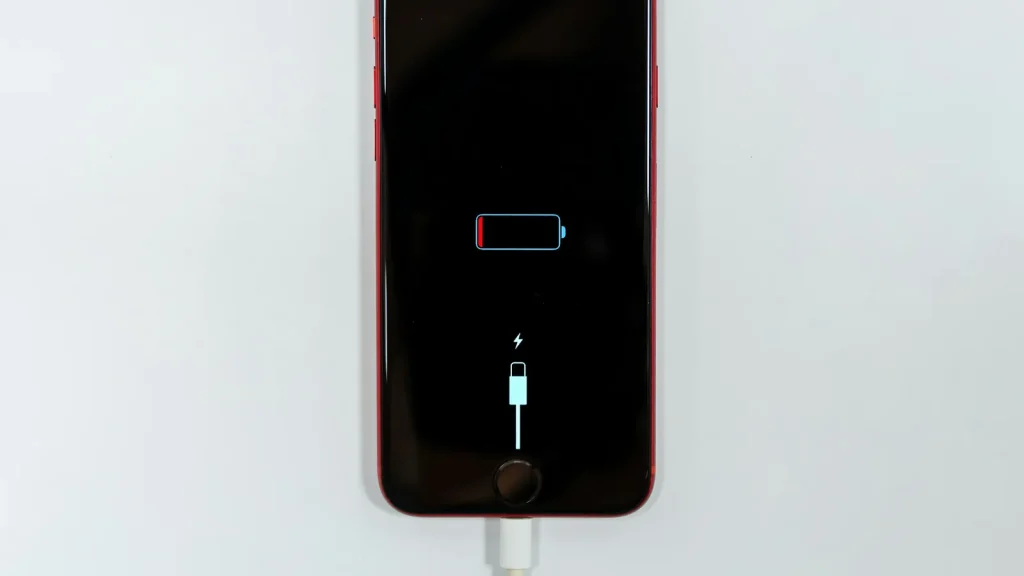
87% doesn't mean your battery is dying. Here's how to read Battery Health, according to Apple.
Essential cookies keep DGTULS working and are always on. Optional cookies help us measure traffic and show ads. Accept, reject or choose which ones to allow. Learn more in our Cookie Policy, Privacy Policy and Terms of Use.
Your browser's privacy signal is on: ads personalization is off.
Your browser's privacy signal is on: ads personalization is off.
Keeps you signed in, protects forms, and stores this choice.
Counts visits with Google Analytics only after you allow it.
Used by ads and affiliate pixels if those scripts are turned on.
None found on the site.
Set by embedded players such as YouTube, if you load them.